
In today’s digital age, location-sharing apps like Life 360 offer a sense of security for families and friends. However, there are times when individuals may want to regain their privacy by turning off location sharing. Whether it’s for a personal break or simply to enjoy some time without being tracked, knowing how to disable this feature can be essential.
Turning off Life 360’s location tracking is a straightforward process. With just a few taps on the app, users can take control of their privacy without losing touch with loved ones. This guide will walk through the steps to easily disconnect from the app’s tracking feature, ensuring that users can enjoy their freedom while still keeping their connections intact.
Understanding Life 360 Location Sharing
Life 360 is a location-sharing app designed to enhance family safety while providing users with real-time location updates. Users benefit from a blend of connectivity and security, making it crucial to understand its features.
What Is Life 360?
Life 360 is a mobile application enabling location tracking among family and friends. Users can create private circles to share their whereabouts, receive alerts when loved ones arrive or leave specific locations, and access driving reports. This app also provides a digital safety net through features like crash detection and emergency assistance.
Importance of Location Services
Location services play an essential role in ensuring safety and convenience. They allow families to stay connected during emergencies or unexpected situations. Users can monitor children’s locations for peace of mind, and family members can coordinate plans easily. While these services enhance safety, they also raise privacy concerns, making the ability to disable location sharing vital for users desiring greater control over their personal information.
Methods to Turn Off Life 360 Location
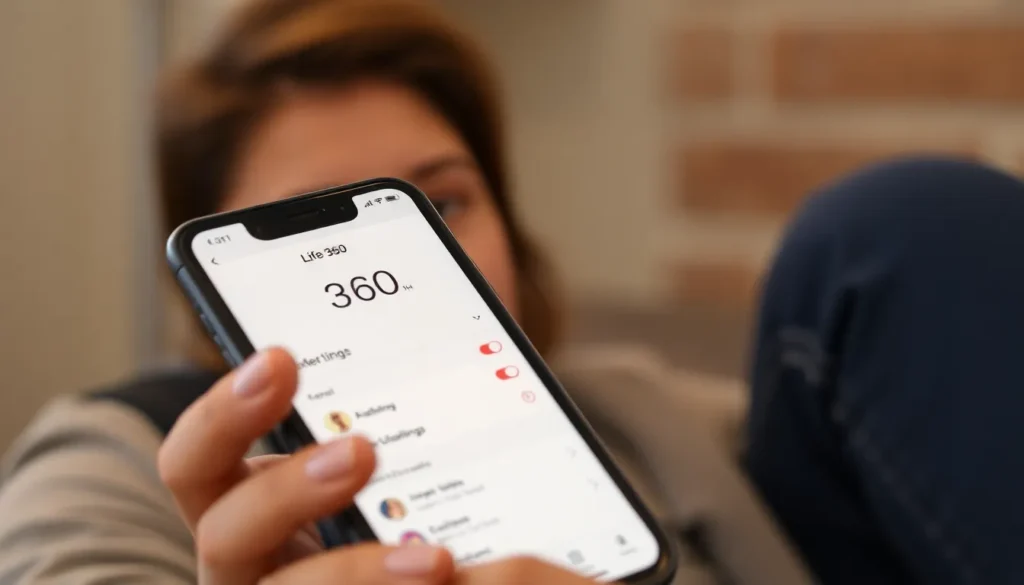
Users can disable location sharing in Life 360 through several methods. These methods include adjusting in-app settings and disabling location services on devices.
Through the App Settings
- Open Life 360 App: Tap on the Life 360 app icon.
- Access Settings: Select the gear icon in the top-right corner to enter settings.
- Location Sharing Option: Find “Location Sharing” in the settings menu.
- Toggle Off Sharing: Switch off the location sharing feature to stop sharing your location with Circle members.
Disabling Location Services on Your Device
- Open Device Settings: Go to the settings app on your smartphone.
- Select Privacy or Location Services: Choose the option related to privacy settings or location services.
- Find Life 360: Scroll through the list of apps to locate Life 360.
- Disable Location Access: Set location access to “Never” or “While Using the App” to control how Life 360 accesses location information.
Privacy Considerations
Location-sharing apps like Life 360 offer security but present privacy concerns. Users should carefully consider the implications of location tracking and whether to periodically disable it.
Why You Might Want to Turn Off Location
Users may turn off location sharing for various reasons, including:
- Personal Privacy: Individuals often value their personal space and time away from others. Disabling location sharing ensures that personal activities remain private.
- Avoiding Unwanted Attention: Users may feel uncomfortable with constant monitoring. Turning off location tracking helps in maintaining boundaries and autonomy.
- Reducing Notifications: Disabling location sharing minimizes alerts related to one’s whereabouts, allowing for a more peaceful experience.
- Temporary Break: Users might wish to disconnect from the app for mental or emotional breaks, ensuring that their movements aren’t scrutinized during these times.
Potential Consequences of Turning Off Location
Turning off location sharing can lead to several consequences, including:
- Decreased Connectivity: Family members may feel disconnected if location updates are turned off, reducing the sense of security that the app provides.
- Limitations on Alerts: Users won’t receive notifications about loved ones’ movements, potentially missing important updates regarding safety.
- Impact on App Functionality: Certain features of the app, such as driving reports or location history, may become unavailable, limiting the app’s full potential.
- Trust Issues: Disabling location sharing may create trust concerns among family or friends, as they may view it as a lack of transparency.
Balancing privacy with security is essential, and users should reflect on their preferences regarding location sharing within Life 360.
Alternatives to Life 360
Various alternatives to Life 360 exist for location sharing, offering different features tailored to user preferences and privacy concerns.
Other Apps for Location Sharing
- Find My (Apple): Find My integrates location sharing and device tracking for Apple devices. Users can share their location with friends and family and find lost Apple devices.
- Google Maps: Google Maps offers location sharing through its navigation app. Users can share their real-time location for up to three days with selected contacts, ensuring user control over duration and visibility.
- Glympse: Glympse allows temporary location sharing without requiring user sign-ups. Users can send a Glympse with real-time location updates for a predetermined time, offering privacy through temporary access.
- Geo Tracker: Geo Tracker focuses on GPS tracking for outdoor activities. Users can share their location during hikes or travels, making it perfect for adventure enthusiasts.
- Zubie: Zubie specializes in vehicle tracking. It provides driving reports, vehicle diagnostics, and location tracking for families with multiple cars or teenage drivers.
Advantages of Using Alternative Apps
- Enhanced Privacy: Many alternatives prioritize user privacy, allowing more granular control over location sharing and its duration, often without continuous tracking.
- Customization Features: Some apps offer unique features, like temporary sharing, ensuring users retain control over their location visibility.
- Accessibility Options: Alternatives cater to various operating systems, making it easier for users across different devices to stay connected without being bound to one platform.
- Less Intrusive Notifications: Users often experience fewer notifications with alternative apps, reducing potential distractions while still maintaining connectivity.
- Focused Functions: Many alternatives target specific needs, such as outdoor activities or vehicle tracking, providing specialized features that can enhance user experience based on individual circumstances.
Turning off location sharing in Life 360 empowers users to prioritize their privacy while maintaining essential connections. By following the simple steps outlined in the article, individuals can easily manage their location settings to align with their personal preferences.
Considering the balance between security and privacy is vital in today’s digital age. Users must weigh the benefits of staying connected against the importance of safeguarding their personal information. Exploring alternative apps can also provide additional options for those seeking enhanced privacy without sacrificing functionality.
Ultimately, it’s about making informed choices that best suit individual needs and comfort levels in the realm of location sharing.